Breaking News
Loading...

Recent Post

Showing posts with label Internet. Show all posts
Thursday, April 24, 2014
How to Disable Chrome's Google Now Notifications(Bell Notifications)

How to Disable Chrome's Google Now Notifications(Bell Notifications)


Google recently rolled out an update that added Google Now support to its Chrome browser on both Windows and Mac. That's great if you use Google services. If you don't, it tends to just repeatedly tell you the current weather. Here's how to disable it,just follow instructions.

First off, just disable the Google Now notifications:
1.Click the bell icon in the lower-right corner of your screen on Windows, or in the menu bar on your Mac
2.Click the gear icon
3.Uncheck the "Google Now" box.
That disables the Google Now notifications but leaves other Chrome notifications. However, if you want to purge your computer of all Google's obnoxious (to some) notifications (and that bell icon you didn't ask for or permit to exist), you need to do one more thing:
1.In Chrome, type chrome://flags into the URL bar
2.Search for "Enable Rich Notifications" and "Enable Experimental UI for Notifications" and set both to "Disabled"
3.Relaunch Chrome.
Now, the bell will be gone, and Chrome will stop pestering you with notifications.
Enjoyzz....
Stay connected for more...
#Google Chrome, #Internet, #Chrome, #BellNotifications, #GoogleNowNotifications
Saturday, April 12, 2014
How to Disable Ads in uTorrent and BitTorrent

How to Disable Ads in uTorrent and BitTorrent


How to Disable Ads in uTorrent and BitTorrent :-
Torrent is one of the most used way to share large files over internet on peer-top-peer network. Personally i am using torrent to download movies from internet. If you are using utorrent, it,s common for you to see ads in your uTorrent and BitTorrent application on your PC. However it,s good for company to get the money from adds. lots of useful applications running on PC are free and they are getting money from advertisers. uTorrent/BitTorrent is also using adds to generate revenue.


Today i am going to show you How to Disable Ads in uTorrent ?
Open your uTorrent client and navigate to Options > Preferences

now navigate to Advanced and in the Filter search for “offer “. Now make all the value to “false ” and also remove the offers.featured_content_url to empty.


Now just restart your uTorrent/BitTorrent application. Your uTorrent/BitTorrent ads will  vanish.
Wednesday, April 9, 2014
Free voice call (Mobile to Mobile) in India

Free voice call (Mobile to Mobile) in India


Call for free anywhere in India. Site2sms provides the facility to make call between two numbers for free. Even though its a good platform for free calls, Site2sms have some limitations. There is time limitation for the call duration. It takes a few minutes to connect the call.

PROCEDURE

1. You request a call to your friend's number in site2sms.com
2.You and your friend will receive a call from site2sms.com
3. If both pick the call, you can talk each other

STEPS

1.Register in site2sms .com
2. Login to site2sms.com
3.Click on Send SMS tab
4. Click on  Live Voice Call

5. Click on Dial Number

6. Type the mobile number an Click on Call button

7. Click on Yes,Connect my call


8. Click Check status of Voice call

It will take a few minutes to connect your call. They will show how many minute it will take.You have the option to cancel the call.


Feel free to comment.......
Thursday, March 6, 2014
10 URLs That Every Google User Should Know

10 URLs That Every Google User Should Know


Where can you get a list of every ad that you have clicked on Google? Where should you go if you don’t remember your administrator password? What are your interests as determined by Google?

Here are 10 important links that every Google user should know about. They are tucked away, somewhere deep inside your Google dashboard.
1. Create a new Google Account using your existing email address. The regular sign-up process uses your @gmail.com address as your Google account username but with this special URL, you can use any other email address as your username.
2. Google creates a profile of yourself based on the sites you visit, your Google+ account and other signals. They try to guess your age, gender and interests and then use this data to serve you more relevant ads. Use this URL to know how Google sees you on the web.
3. Google lets you export all your data out of the Google ecosystem. You can download your photos, contacts, Gmail messages and even your YouTube videos. Head over the the Takeout page to grab the download links.
4. If you ever find your content appearing on another website that is using one or more Google products – say Blogger, AdSense, Google+ or YouTube - you can raise a DMCA complaint with Google against that site to get that content removed. This wizard can also be used to remove websites from Google search results that are scraping your content.
5. Your Android device may be reporting your recent location data and velocity (are you moving and if yes, how fast are you moving) back to Google servers. Head over to the Google Maps website to see your entire location history and you also have the option to export this data as KML files that can be viewed inside Google Earth or even Google Drive.
6. Google records every search term that you’ve ever typed into their search boxes. They even keep a log of every ad that you have clicked on various Google websites.
7. You need to login to your Gmail account at least once every 9 months else Google may terminate your account according to their program policies.This can be an issue if you have multiple Gmail accounts so as a workaround, you can setup your main Gmail account as the trusted content for your secondary accounts. Thus Google will keep sending you reminders every few months to login to your other accounts. Not available for Google Apps.
8. Worried that someone else is using your Google account. Go to the activity report to see a log of every device that has recently been used to log into your Google account. You also get to know the I.P. Address and their approximate geographic location. Unfortunately, you can’t remotely log out of a Google session.
9. This is a complete list of web apps, browser extensions, Google Scripts and mobile apps that have any read or write access to your Google data. If the permission level says “access to basic account info”, it basically means that you have used your Google account to sign-in to that app.
10. This is important URL for Google Apps users. If your Google Account ever gets hacked, use this secret link to reset your admin password. You’ll be asked to verify your domain name by creating a CNAME record in your DNS.
https://admin.google.com/domain.com/VerifyAdminAccountPasswordReset
[*] Replace domain.com in the above URL with your own web domain name.
Tuesday, February 25, 2014
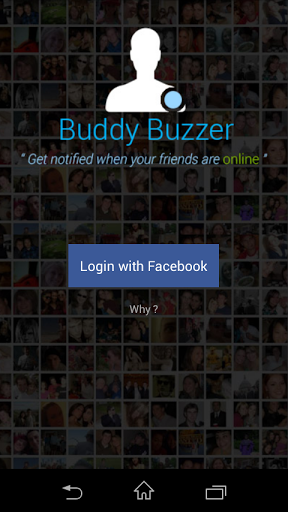
Get Timely Notifications When Your Facebook friends are online!!

Get Timely Notifications When Your Facebook friends are online!!


Buddybuzzer

Description:
Never miss a chat with your Loved One's again. Buddybuzzer is a fun social app which keeps track of online activity of your Facebook friends. You get timely notifications when your dear ones are online.
IN YOUR LIFE:
★ Get rid of frequent checks on messenger, we'll take care of that
★ Concentrate on your work, those are important too
★ Your concerns are only yours. We've perfect ways to keep it that way
★ Take a break with confidence, we've got you

KEY FEATURES:
★ Favorite friends — Mark your dearest friends
★ Ring Notifications — Make your phone ring when your special ones are around.
★ Personalization — Set aliases for your friends so that only you get the notifications right
★ Control — Choose when to monitor and when not to

Screenshots:


DOWNLOAD 

Thursday, February 20, 2014
Facebook to buy WhatsApp for $19 billion

Facebook to buy WhatsApp for $19 billion

The balance of power in the mobile messaging space is about to shift in a big way -- Facebook has just announced plans to acquire WhatsApp for the equivalent of $19 billion in cash and stock. The deal will see WhatsApp run semi-independently, much like Instagram. The chat service will maintain its brand and existing offices, but it will take advantage of Facebook's "expertise, resources and scale." It's safe to say that the combined entity will have a lot of clout should the deal close later this year. WhatsApp already has over 450 million active users every month; combine that with Facebook Messenger and competitors like Line suddenly appear tiny by comparison.
Sunday, February 9, 2014
Free Recharge Trick!!

Free Recharge Trick!!


Use These LinkLink no 1 - http://mcent.com/ref/4BK6QF/
Link no 2 - 
http://mcent.com/ref/2XHFNLL/

Both Link Give You 10 Rs in your account 


AFTER SURVEY COMPLETE CLICK ON 

CLAIM YOUR AIRTIME


You will be redirected to mCent.com,Enter your mobile no. and get register yourself on site and you will get free recharge of Rs10 on Each Video.


After You get Rs 20 Recharge you can earn Rs 5/Referer in Your Account with that you can recharge more...Enjoy and Keep Visiting


Friday, February 7, 2014
How do I find someone’s IP address on Facebook..?

How do I find someone’s IP address on Facebook..?


First you got to find out the IP address of that User.

To Do so we will be using “netstat” command in windows. If you want to know the IP address of a specific person on facebook or orkut or any chat service, there is only one way: Just invite or ping him for a chat and while chat is ON open ‘Command Prompt‘ on your PC (Start >Run>cmd).
Note: before trying this make sure you close all the other tabs in your browser. and only facebook is open. also if possible delete all the history and cache from your browser.
When command prompt opens Type the following command and hit Enter.
netstat -an
And you will get all established connections IP addresses there. Note down all the suspicious IP’s

The Next Step is to Trace that user using his IP address.

To do so we will be using IP tracer service. Go to the below address and paste the IP address in the box that says “lookup this ip or website”. and it will show you the location of the user.
It will show you all the information about that user along with his ISP and a Location in the MAP. Now in the MAP Just click on “click for big ip address location” in the big picture you can actually zoom in. and try to recognize the area. If any serious matter just note down the ISP details in that page and contact them about the IP. they will respond you.
Other netstat commands:
-a Displays all connections and listening ports.
-e Displays Ethernet statistics. This may be combined with the -s option.
-n Displays addresses and port numbers in numerical form.
-p proto Shows connections for the protocol specified by proto; proto may be TCP or UDP.
-s option to display per-protocol statistics, proto may be TCP, UDP, or IP.
-r Displays the routing table.
-s Displays per-protocol statistics. By default, statistics are shown for TCP, UDP and IP; the
-p option may be used to specify a subset of the default.
Friday, January 31, 2014
How to filter Google image searches by usage rights

How to filter Google image searches by usage rights


Filter which images you can freely use for commercial or non-commercial purposes right on your search results page.


Looking for an image online that you can legally and safely use on your own Web site? Google now makes it easier to find one.
A new Usage Rights filter is now easily accessible on your search results page, as tweeted by Google software engineer Matt Cutts. Here's how you can tap into it:
  1. Run your search at the Google Images page, or just use Google's default search page and then filter the results by image.
  2. Click on the Search tools menu and then select the dropdown menu for Usage Rights. That menu offers five choices: Not filtered by license, Labeled for reuse, Labeled for commercial reuse, Labeled for reuse with modification, and Labeled for commercial reuse with modification. Select the option you wish to use, and the page refreshes to include only those images.
The images are typically ones licensed by Creative Commons or GNU Free Documentation, or are items in the public domain. The "labeled for reuse" option allows you to use the image for non-commercial purposes as specified in the license. The "labeled for commercial reuse" lets you use the image commercially. The "reuse with modification" option grants you the ability to alter the image.
Google help page describes the various licensing and usage options.
Google has offered usage rights filtering for images since 2009. But until now, you had to access the Advanced Image Search page to filter your results. The new feature also helps Google catch up with Bing, which has its own image licensing filter directly accessible from your search results.
Monday, January 20, 2014
Get alerted when someone unfriends you on Facebook

Get alerted when someone unfriends you on Facebook

For many people, Facebook is the dominant way to stay in touch with their friends, family members, classmates, colleagues and acquaintances. There would be hardly any one in your social circles who uses the internet but not Facebook. Unlike Twitter where you don’t necessarily have to follow back your followers and vice versa, Facebook still uses the classic ‘Friends’ feature, allowing users to add each other in a snap. You get a notification when someone sends or accepts your friends requests. and the list of all your friends can be viewed under one roof. However, Facebook doesn’t send a notification or inform you in any manner if any of your existing friends suddenly decides to unfriends you on the social network. That’s where the Chrome extension Unfriends Notify For Facebook comes to the rescue. As the name implies, it lets you view the list of people who have unfriended you on Facebook.

 I personally don’t mind not having such a feature in place, as it helps people unfriend others on the social network without getting into any arguments over it (at least till they find out by any other means that you’ve unfriended them.) But hey, that doesn’t mean no one wants such a feature at all; in fact a lot of users would want to know who has unfriended them.
The only limitation of Unfriend Notify is that users have to be using Google Chrome. Setting the extension up is dead simple; all you have to do is download it from Chrome Web Store, and the rest is done by the extension itself.
Once the extension has been downloaded and installed, login to your Facebook account and then navigate to the ‘Friends’ section. Just next to the Friends heading, you will notice a new link called ‘Lost Friends’. Clicking this link lets you view the list of friends you’ve lost on Facebook, It also displays the total number of people who have unfriended you. To make things even more convenient, the extension also displays push notifications near the system tray when someone unfriends you, and you can temporarily disable these notifications to one hour or the whole day.

Overall, it’s a very simple extension built to perform a very specific task that has never been provided natively in Facebook. It’s available for free at the Chrome Web Store and you can download it via the link provided below.You can also download it for Firefox.


Monday, January 13, 2014
6 Most Common Password Cracking Methods And Their Countermeasures

6 Most Common Password Cracking Methods And Their Countermeasures


There are number of methods out their used by hackers to hack your account or get your personal information. Today in this post i will share with you guys 6 Most commonly used method to crack password and their countermeasures. You must check out this article to be safe and to prevent your online accounts from hacking.
1. Brute Force Attack

Any password can be cracked using Brute-force attack. Brute-force attacks try every possible combinations of numbers, letters and special characters until the right password is match. Brute-force attacks can take very long time depending upon the complexity of the password. The cracking time is determined by the speed of computer and complexity of the password.

Countermeasure: Use long and complex passwords. Try to use combination of upper and lowercase letters along with numbers. Brute-force attack will take hundreds or even thousands of years to crack such complex and long passwords.
Example: Passwords like "iloveu" or "password" can be cracked easily whereas computer will take years to crack passwords like "aN34lL00"

2. Social Engineering

Social engineering is process of manipulating someone to trust you and get information from them. For example, if the hacker was trying to get the password of a co-workers or friends computer, he could call him pretending to be from the IT department and simply ask for his login details. Sometime hackers call the victim pretending to be from bank and ask for their credit cards details. Social Engineering can be used to get someone password, to get bank credentials or any personal information.

Countermeasure: If someone tries to get your personal or bank details ask them few questions. Make sure the person calling you is legit. Never ever give your credit card details on phone.

3. Rats And Keyloggers


In keylogging or RATing the hacker sends keylogger or rat to the victim. This allows hacker to monitor every thing victim do on his computer. Every keystroke is logged including passwords. Moreever hacker can even control the victims computer.

Countermeasure: Never login to your bank account from cyber cafe or someone else computer. If its important use on-screen or virtual keyboard while tying the login. Use latest anti-virus software and keep them updated. Check out below article to know more about Rats and Keyloggers.

4. Phishing


Phishing is the most easiest and popular hacking method used by hackers to get someone account details. In Phishing attack hacker send fake page of real website like facebook, gmail to victim. When someone login through that fake page his details is send to the hacker. This fake pages can be easily created and hosted on free web-hosting sites.

Countermeasure: Phishing attacks are very easy to avoid. The url of this phishing pages are different from the real one. For example URL of phishing page of facebook might look like facbbook.com (As you can see There are two "b"). Always make sure that websites url is correct. Check out below article to know more about phishing.

5. Rainbow Table

A Rainbow table is a huge pre-computed list of hashes for every possible combination of characters. A password hash is a password that has gone through a mathematical algorithm such as md5 and is transformed into something which is not recognizable. A hash is a one way encryption so once a password is hashed there is no way to get the original string from the hashed string. A very commonly used hashing algorithm to store passwords in website databases is md5. It is almost similar to dictionary attack, the only difference is, in rainbow tables attack hashed characters are used as passwords whereas in dictionary attack normal characters are used as passwords. 

Example: ‘hello’ in md5 is 5d41402abc4b2a76b9719d911017c592 and zero length string ("") is d41d8cd98f00b204e9800998ecf8427e

Countermeasure: Make sure you choose password that is long and complex. Creating tables for long and complex password takes a very long time and a lot of resources

6. Guessing


This seems silly but this can easily help you to get someones password within seconds. If hacker knows you, he can use information he knows about you to guess your password. Hacker can also use combination of Social Engineering and Guessing to acquire your password.

Countermeasure: Don't use your name, surname, phone number or birthdate as your password. Try to avoid creating password that relates to you. Create complex and long password with combination of letters and numbers.

Tags:- #Passwordcrack,#Password,#Crack,#BruteForceAttack,#Phishing,#md5
Saturday, January 11, 2014
Batch download and save Instagram photos to your hard drive with Instaport

Batch download and save Instagram photos to your hard drive with Instaport

Instagram is a pretty popular app but it does have some restrictions. First and foremost, it doesn’t allow its users to download the photos that they’ve already posted. You’re also not allowed to download the photos that were posted by other people. So what if you decide to delete your old account and transfer all of your photos to your new account? Is there any way that you could download and save all of the photos that you have uploaded to Instagram? Well, it’s possible but you’ll need to use a free web service such as Instaport.


What is it and what does it do?
Main Functionality
Instaport is a free web service that you can use to download and save your Instagram photos to your local hard drive. What’s great about this service is that you’re not required to download or install anything on your computer. Just load it online (see the link below) then log-in using your Instagram username and password. After which, specify the photos that you want to upload (ex. the last ten photos that you took) and then click the button for “New Export”. Wait for a few minutes for the service to generate your photo’s download link and you’re all set to save your photos to your local hard drive. Your photos will be saved as a ZIP file.

Pros

  • Loads quickly on your web browser
  • Compatible with any type of web browser such as Chrome, Firefox, IE, etc.
  • You’re free to select the photos that you want to download (via select export options)
  • You can download #tagged photos
  • You can download photos from other users – but only those that you’ve “liked”
  • Fast processing – the download link for your photos will be ready in just a couple of minutes or so
  • Can also download Instagram videos

  • Cons
  • Users are only allowed to export a maximum of 500 tagged photos
  • You cannot preview the photos that you want to download
  • Website is not mobile optimized


Conclusion and download link

Instaport comes in handy for users who wish to download the photos that they’ve posted on their Instagram profiles. With the help of this free web service, you can easily export the photos to your local hard drive. What I like about this service is that it lets you choose the photos that you want to export. It is also very simple to use and there’s no need for you to download or install any additional software or application on your computer.
The way Instaport works is also very straightforward. If you want to download your photos, just go to its official website and then log-in using your Instagram username and password. By doing so, you are allowing the web service to take the photos from your account. Once you’re logged-in, the web service will prompt you to choose your export options. This means that you can choose whether to download all of your photos or just the photos that you uploaded during a specific date or time. Apart from this, you can also use the web service to download the photos that were uploaded by others but this option is only limited to the photos that you’ve “liked”. You can also download photos with specific tags. For example, you can use the web service to export the latest photos with the #ThrowbackThursday tag. Just keep in mind that this feature will limit the total number of tagged photos that you can download to 500.

Functionality wise, Instaport can easily process your request. As a matter of fact, it could only take less than a minute for it to generate a download link for the photos that you want to take from your Instagram account. Of course, the processing time may vary depending on the total number of photos that you want to download. It should also be noted that this tool will automatically compress and compile your photos into a ZIP file.
So far, this web service proves to be really useful especially when you want to take all of the photos that you have uploaded before permanently deleting your Instagram profile. I also didn’t experience any problems while waiting for the service to generate the download link. I just noticed that this tool won’t let you preview the photos that you want to download.

CONCLUSION AND DOWNLOAD LINK
If ever you’re in the need of a tool that will let you download the photos that you’ve uploaded to your Instagram account, you can definitely rely on Instaport. This free web service is really simple to use and it also lets you select the photos that you want to download. It may have some downsides, such as limiting the number of tagged photos that you can download, but it’s already good enough to provide you with a quick and easy method to export the photos that you’ve posted on your Instagram profile. So go ahead and check it out.
Price: Free
Version reviewed: 2.1.4
Requires: Works on any type of web browser (Chrome, Firefox, Safari, Opera, IE, etc.) on any desktop operating system (Windows XP, Vista, 7, 8, Mac OS X, Linux, etc.)

Copyright © 2012 DzireZOne All Right Reserved
Designed by Pirate Rex